
Windows 10 Is Over: What That Means for Your Small Business (and What To Do Now)

Updated: Oct 27, 2025
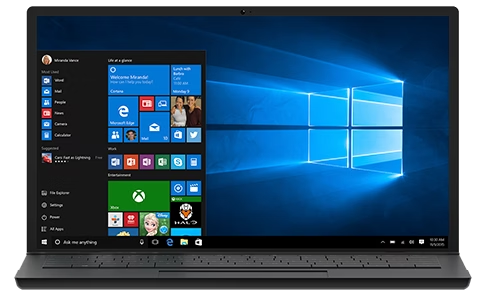
If your office still runs on Windows 10, the clock struck midnight on October 14, 2025. That’s the official end of support, which means no more security patches, feature updates, or Microsoft tech assistance for Windows 10 Home and Pro. Your PCs will still boot, but the risk profile changes immediately.
Below is a plain-English rundown of the implications, your options (including paid Extended Security Updates), and a practical checklist you can hand to your team today.
What “End of Support” Really Means
No security updates. Newly discovered vulnerabilities in Windows 10 will not be patched for the general public, making machines easier targets for ransomware and data theft. Microsoft
Higher cyber risk and potential compliance gaps. Federal guidance warns that outdated, unpatched software is a major security risk—a red flag for cyber insurers, auditors, and regulators.
Limited help from Microsoft. You won’t get feature updates, fixes, or standard support. Microsoft
Your Options
Upgrade compatible PCs to Windows 11. Best security and support moving forward. You’ll need modern hardware (including TPM 2.0) and a supported CPU. Use Microsoft’s PC Health Check to confirm.
Buy time with Windows 10 Extended Security Updates (ESU). Microsoft sells optional paid security updates for Windows 10 (version 22H2) to reduce risk while you plan migrations. This is a temporary bridge, not a long-term strategy.
Replace aging devices. If your PCs don’t meet Windows 11 requirements, plan a phased hardware refresh. (Many older CPUs and systems without TPM 2.0 will not qualify.)
Note on Microsoft 365 (Office): Microsoft will keep providing security updates for Microsoft 365 apps running on Windows 10 through October 10, 2028, but Windows 10 itself remains out of support. Do not confuse app security updates with OS security updates.
What to Expect
Security exposure climbs over time. Attackers actively target known, unpatched flaws in older systems. Expect more phishing, malware, and ransomware attempts to succeed on unprotected endpoints.
Compatibility friction. New versions of business software increasingly assume Windows 11 features and security baselines (like TPM-backed credential protection). Expect “works on 11 only” notes to appear more often.
ESU is a safety net, not a sofa. ESU delivers critical/important security fixes, but it does not add features or solve hardware limitations. Treat it as a migration runway.
Licensing and account nuances. Microsoft’s consumer ESU program has specific enrollment rules and time limits; coverage is annually renewed and not the same as mainstream support. (Pricing and account requirements are reported by industry press; details can vary by channel and program.)
Action Checklist for Small Business Owners
This is the punch list we use with JDInet clients:
1) Inventory & Assess
Export a full device inventory (model, CPU, RAM, storage, TPM status, OS build).
Run PC Health Check on each Windows 10 device to confirm Windows 11 eligibility and why a device fails, if it does.
2) Decide Per Device
Eligible? Schedule an in-place upgrade to Windows 11.
Not eligible? Compare ESU vs. device replacement. If the CPU or TPM 2.0 is missing, budget for new hardware.
3) Secure the Interim
If you must stay on Windows 10 for a short period, enroll in Windows 10 ESU to keep receiving critical and important security updates during the transition.
Tighten controls: MFA everywhere, least-privilege accounts, EDR/AV reviewed weekly, and verified offline backups. (Running out-of-support OS without ESU is a top risk per federal guidance.)
4) Validate Your Apps
Test line-of-business apps, VPN clients, printers, and peripherals on Windows 11 ahead of the cutover.
Confirm that any add-ins or drivers support Windows 11 security baselines (TPM-dependent features, BitLocker, Windows Hello).
5) Plan the Rollout
Sequence upgrades by department.
Schedule after-hours cutovers, create a rollback plan, and communicate downtime windows.
6) Train & Document
Short staff training on Windows 11 UX changes and security prompts (Hello/Passkeys, BitLocker recovery keys).
Update your incident response plan to reflect Windows 11 endpoints.
7) Budget & Roadmap
Budget for new devices where required and target a full transition timeline.
If you choose ESU, treat it as a time-boxed bridge while you complete upgrades.
FAQs We’re Hearing Right Now
“Can we just keep running Windows 10?”
You can, but you’ll be accepting escalating risk. Without ESU, vulnerabilities will remain unpatched. With ESU, you get critical/important security fixes but only for a limited period and with annual renewals.
“Will my Office apps stop working on Windows 10?”
They keep working, and Microsoft will provide security updates for Microsoft 365 apps on Windows 10 until October 10, 2028. That does not secure the operating system itself.
“What blocks us from Windows 11?”
Usually hardware: unsupported CPUs or no TPM 2.0. Use PC Health Check to confirm and plan.
Recommended Next Steps With JDInet
Free readiness check: We’ll run PC Health Check across your fleet and map upgrade vs. replace decisions.
ESU bridge plan: If you must remain on Windows 10 briefly, we’ll scope ESU coverage and harden controls so you’re not exposed while you migrate.
Windows 11 deployment: We’ll test your apps, schedule after-hours cutovers, and train your team so day one is smooth.
Sources
Microsoft: Windows 10 end of support overview and lifecycle dates. Microsoft+1
Microsoft: Windows 10 ESU program details. Microsoft+1
Microsoft: Windows 11 system requirements and TPM 2.0 requirement. Microsoft Support+1
Microsoft: PC Health Check usage and eligibility checks. Microsoft Support
Microsoft: Microsoft 365 apps on Windows 10 supported with security updates through Oct 10, 2028. Microsoft Support
CISA (U.S. Cybersecurity & Infrastructure Security Agency): Outdated software risks and update guidance. CISA
Tom’s Hardware (industry reporting): Consumer ESU enrollment & account requirements (for context on program mechanics). Tom's Hardware


Comments